Updated: 7/10/2026
What is an Uninterruptible Power Supply (UPS)?
A UPS is a battery-backed device that plugs in between the wall outlet and your equipment. The moment the power goes out, it switches over instantly, so your computer, monitor, or router never actually loses electricity. It gives you time to save your work and shut down properly, rather than losing unsaved data.
How can a UPS protect your sensitive digital equipment?
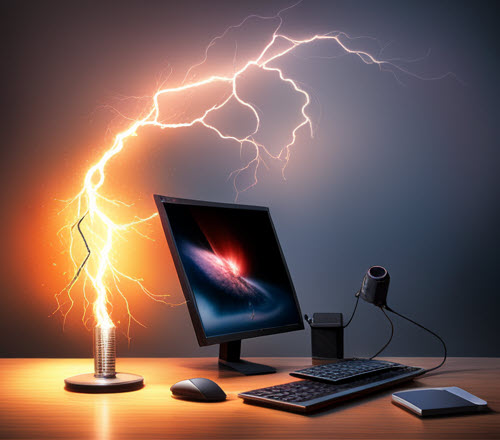
Power surges occur when a building’s wiring experiences brief yet dangerous and even damaging jolts of voltage. Lightning is one cause, but power surges can also come from faulty wiring, utility grid fluctuations, or large appliances and heavy equipment cycling on and off. A UPS combines battery backup with surge protection to help shield your devices from power interruptions and some electrical spikes. It keeps your digital gear safe from dangerous electrical fluctuations.
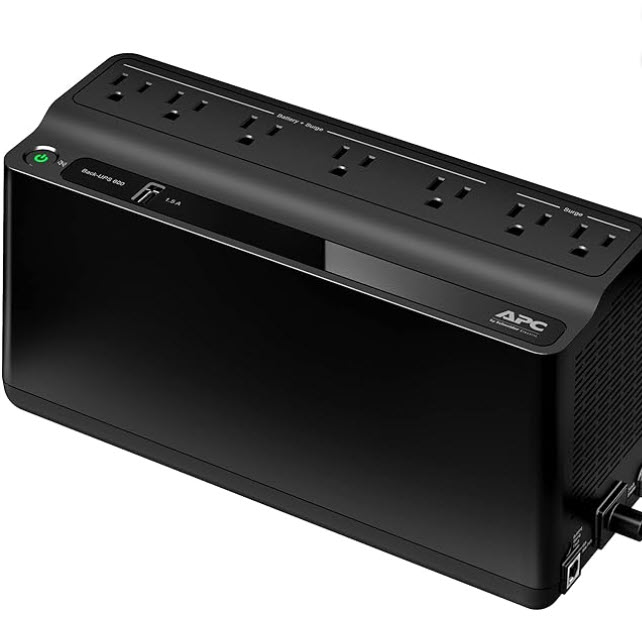
Recommended UPS for Most Homes and Offices
This affordable UPS will provide enough battery power for most PCs and internet equipment to save your work and do an orderly shutdown of your systems.

If you want more online time during a blackout and can use a laptop with a full battery charge, here is an upgraded UPS for your internet router and Wi-Fi. It costs more, but provides more battery time for places that see frequent power outages.
CyberPower CP850PFCLCD PFC Sinewave UPS Battery Backup and Surge Protector, 850VA/510W
Why a UPS Matters During a Power Outage
Most power outages last for a few seconds to a few minutes. Besides the annoyance of resetting clocks when power is restored, there is an invisible electrical risk at work. Beyond human perception are high-energy electrical spikes as the power goes down and up. These surges can damage and even fry sensitive electronics.
The battery and surge protector are at the heart of the UPS. They act as a buffer to absorb much of the device-damaging energy.
There’s another aggravation a UPS can help avoid. It’s a hot summer day, and the power grid is running at an overload capacity. You’ve been editing an important document for hours. The power blinks for only a few seconds, but long enough to make you realize you should have saved your work. But it’s too late. It took only a few seconds of a power blink, and your hours of work went down the digital drain.
The battery would have kicked in with a UPS, providing valuable time to click the save button.
Many entry-level UPS units cost around $80 to $90 and provide roughly 15 to 20 minutes of backup time, depending on the connected load. More expensive units provide more battery time and can absorb more intense surges. If you’re a gamer with a power-hungry rig, you should consider a UPS in the $100 to $200 range.
You should connect these devices to a UPS:
- PC
- Monitor
- Internet router and Wi-Fi equipment (very sensitive)
- Network switches
- A desk lamp (so you can see to power down your PC when things go dark)
A UPS can also protect other electronic investments, such as audio and television equipment.
Not sure which UPS is right for your setup? Reach out and we’ll help you pick one


Owning a reliable UPS will surely save you of the future cost that may arise upon unwanted power surges. Through UPS, data loss will be minimize.
I use a UPS on all of my major electronics. They have saved me on several different occasions.